
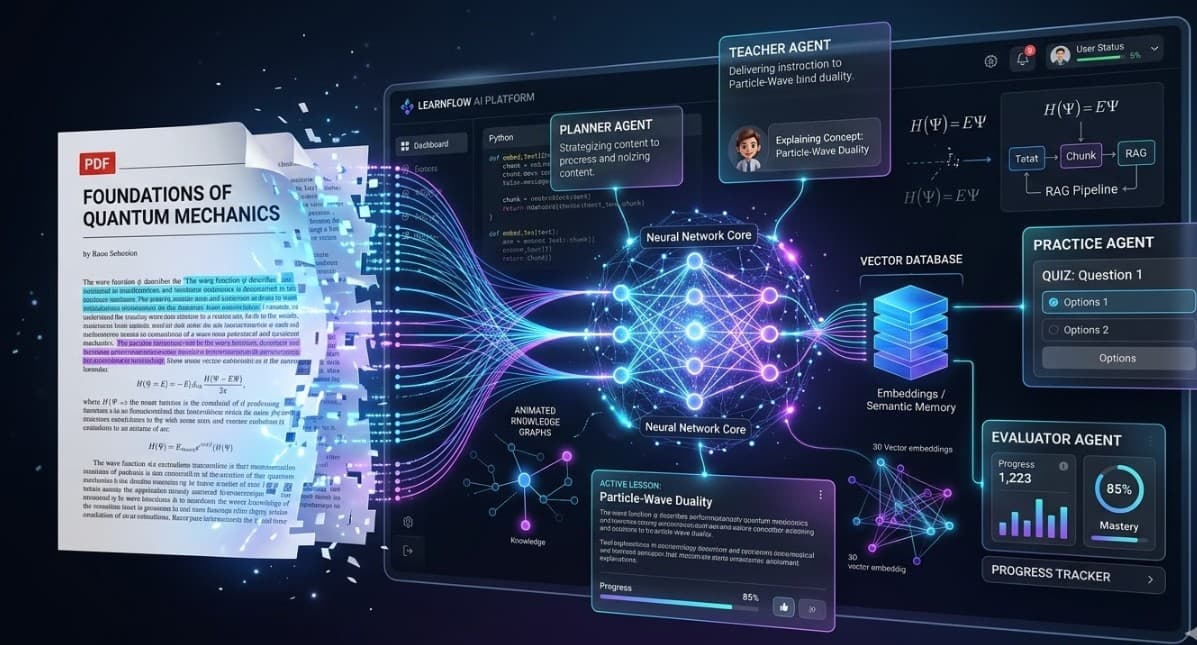
Building MeroStudySathy: A Multi-Agent RAG System That Actually Teaches You
By Trilochan Sharma · March 2026 · 15 min read
Most AI study tools are wrappers around a search box.
You upload a PDF. You ask a question. It returns a chunk of text that was already in the document. Congratulations — you just paid API credits to ctrl+F.
That's not learning. That's retrieval. And retrieval without structure, without feedback, without progression — it's just a fancier way to skim.
I wanted to build something different. Something closer to sitting with a tutor who actually read the material and knows how to break it down. So I built MeroStudySathy — a multi-agent RAG system that turns static PDFs into structured, interactive learning experiences.
This post is the full technical breakdown. Architecture, data pipeline, agent design, RAG implementation, caching strategy, and every non-obvious decision along the way.
The Problem With Existing Approaches
Before getting into the system, it helps to understand exactly what's broken about the current generation of "AI study tools."
Problem 1: Pure Retrieval Is Not Teaching
Retrieval-Augmented Generation (RAG) at its most basic is a search problem. You embed a query, find the nearest chunks in your vector store, and pass them to an LLM as context.
This works for Q&A. It does not work for learning.
Learning requires:
- Structure — what order should I encounter these concepts?
- Scaffolding — build on what I already know
- Active engagement — not reading, doing
- Feedback — did I actually understand that?
- Repetition — spaced, targeted, on weak areas
A RAG pipeline alone gives you none of this.
Problem 2: One Agent Can't Do Everything Well
Early prototypes had a single LLM call doing everything — analyzing the document, building a study plan, generating questions, evaluating answers. The output was unfocused and inconsistent.
The solution is specialization. Different cognitive tasks need different system prompts, different context shapes, and different output formats. A planner agent should think like a curriculum designer. A teacher agent should think like an educator. A practice agent should think like an examiner.
Problem 3: API Cost Is A Real Constraint
Repeated LLM calls on the same content is expensive. If you're studying a document over multiple sessions — which is the whole point — you'll burn through API credits fast.
This needs a caching layer that's intelligent enough to save full generated responses, not just chunks.
System Architecture Overview
MeroStudySathy is built around four specialized agents sitting on top of a RAG pipeline, with a response cache layer that eliminates repeat API costs.
┌──────────────────────────────────────────────────────────────┐
│                      YOUR PDF DOCUMENT                        │
└────────────────────────┬─────────────────────────────────────┘
                         │
                         ▼
              ┌──────────────────────┐
              │    PDF EXTRACTION    │
              │   (page-by-page)     │
              │     pdf-parse        │
              └──────────┬───────────┘
                         │
                         ▼
              ┌──────────────────────┐
              │    TEXT CHUNKING     │
              │  1000 tok / 150 ovlp │
              │   semantic windows   │
              └──────────┬───────────┘
                         │
                         ▼
              ┌──────────────────────┐
              │  EMBEDDING PIPELINE  │
              │   batch size: 100    │
              │  provider-agnostic   │
              └──────────┬───────────┘
                         │
                         ▼
        ┌────────────────────────────────┐
        │       SQLITE VECTOR STORE      │
        │   chunks + embeddings + cache  │◄─── Response Cache Layer
        │        (local database)        │     (0 API cost on repeat)
        └───────────────┬────────────────┘
                        │
       ┌────────────────┼────────────────┐
       │                │                │
       ▼                ▼                ▼
  ┌─────────┐     ┌──────────┐     ┌──────────┐
  │ PLANNER │     │ TEACHER  │     │ PRACTICE │
  │  AGENT  │     │  AGENT   │     │  AGENT   │
  └────┬────┘     └────┬─────┘     └────┬─────┘
       │               │                │
       ▼               ▼                ▼
  Study Plan    Teaching Session   Quiz Questions
  (structured)  (7-part format)   (MCQ/Short/Why)
       │               │                │
       └───────────────┼────────────────┘
                       │
                       ▼
             ┌─────────────────┐
             │    EVALUATOR    │
             │      AGENT      │
             └────────┬────────┘
                      │
                      ▼
           Score + Feedback + Weak Topic ID
           Progress Tracking (SQLite)
The Data Pipeline: Step by Step
Phase 1: PDF Extraction
When a user uploads a PDF, the first step is text extraction using pdf-parse. The key design decision here is per-page extraction rather than treating the document as one blob.
PDF Upload
    │
    ├─→ Extract text per page (pdf-parse)
    │       page 1: "text content..."
    │       page 2: "text content..."
    │       page N: "text content..."
    │
    ├─→ Store raw text: /data/uploads/{document_id}.txt
    │
    └─→ Create document record in SQLite:
            id, filename, page_count, created_at
Why per-page? Because it preserves page numbers for citations. Every chunk retains a reference to its source page, which feeds the [Source X, Page Y] citations in the Teacher Agent's output. If you can't verify what the AI tells you against the original document, you can't trust it.
Phase 2: Chunking
Raw page text goes into a chunking pipeline before embedding.
Raw Text (per page)
    │
    ├─→ Split into chunks:
    │       target size: 1000 tokens
    │       overlap: 150 tokens
    │       strategy: sentence-boundary aware
    │
    ├─→ Each chunk tagged with:
    │       chunk_id, document_id, page_number,
    │       chunk_index, token_count, text
    │
    └─→ Store in SQLite chunks table
The 150-token overlap is important. Without it, concepts that span a natural chunk boundary get split — the first half of an explanation ends up in one chunk, the second half in the next. Retrieval then pulls incomplete context. Overlap ensures semantic continuity across chunk boundaries.
The 1000-token target balances two competing needs:
- Too small: chunks lack enough context for the LLM to generate good explanations
- Too large: retrieval becomes imprecise — you pull in too much irrelevant content
1000 tokens tends to be about 2-4 paragraphs, which maps naturally to a single concept or idea.
Phase 3: Embedding Pipeline
Once chunks are stored, the embedding pipeline converts text to vectors.
Chunks (from SQLite)
    │
    ├─→ Batch into groups of 100
    │       (API rate limit management)
    │
    ├─→ Call embedding API:
    │       OpenAI: text-embedding-ada-002
    │       Google: text-embedding-004
    │
    ├─→ Receive float[] vectors
    │       typically 1536 dimensions (OpenAI)
    │       or 768 dimensions (Google)
    │
    └─→ Store in SQLite:
            chunk_id → vector (JSON serialized float[])
Why batch size 100? Most embedding APIs have rate limits measured in requests per minute and tokens per minute. Batching 100 chunks per call reduces API calls by 100x compared to embedding one chunk at a time, staying well within rate limits while completing indexing quickly.
Why SQLite for vectors? Dedicated vector databases (Pinecone, Chroma, Weaviate) offer ANN search with sub-millisecond latency at scale. But for a personal study tool with documents in the hundreds of pages — not millions — SQLite with cosine similarity is fast enough, requires zero external dependencies, and keeps everything local. The operational simplicity is worth more than the marginal performance gain.
Phase 4: Retrieval (Query Time)
When an agent needs context from the document:
Query (string)
    │
    ├─→ Embed query using same model as chunks
    │
    ├─→ Load all chunk vectors from SQLite
    │
    ├─→ Compute cosine similarity:
    │       similarity = dot(q, c) / (|q| × |c|)
    │       for each chunk vector c
    │
    ├─→ Rank by similarity score descending
    │
    ├─→ Return top-K chunks (default K=5)
    │       with text, page_number, chunk_index
    │
    └─→ Format as context string:
            [Source 1, Page 3]: "chunk text..."
            [Source 2, Page 7]: "chunk text..."
Cosine similarity vs dot product: Cosine similarity normalizes for vector magnitude, making it robust to length variation between chunks. A short chunk that's highly relevant won't be penalized against a longer chunk with more total signal.
K=5: Five chunks gives the LLM enough context to generate a substantive explanation without overwhelming the context window. For most sections of a technical document, five chunks covers the relevant material while keeping prompt size manageable.
The Response Cache Layer
This is the most impactful optimization in the system.
The insight: generated teaching sessions are deterministic enough to cache. If you're studying "Binary Search Trees" today and come back in a week, the teaching session for that section should be essentially the same. No reason to hit the API again.
User selects section: "Binary Search Trees"
    │
    ├─→ Check cache:
    │       key = hash(document_id + section_title + agent_type)
    │       lookup in SQLite response_cache table
    │
    ├─→ CACHE HIT
    │       return stored response immediately
    │       cost: 0 API calls, ~5ms
    │
    └─→ CACHE MISS
            ├─→ Build query from section title
            ├─→ Retrieve top-5 chunks (cosine similarity)
            ├─→ Format context with page citations
            ├─→ Stream LLM response
            ├─→ Store complete response in cache
            └─→ Return to user
The cache table schema:
CREATE TABLE response_cache (
  id          TEXT PRIMARY KEY,
  cache_key   TEXT UNIQUE NOT NULL,
  document_id TEXT NOT NULL,
  agent_type  TEXT NOT NULL,
  section     TEXT NOT NULL,
  response    TEXT NOT NULL,
  created_at  TEXT NOT NULL
);
Result: 60-80% reduction in API costs for typical study sessions. For exam prep — reviewing the same content repeatedly — savings are even higher.
This also changes user behavior. When revisiting a section costs API credits, users hesitate to review. When it's free, they review freely. That's pedagogically better. The cache is a product decision as much as a technical one.
The Four Agents
Agent 1: Planner Agent
Job: Analyze the document and produce a pedagogically-ordered learning plan.
Input: Full document text (or representative chunks)
Output:
{
  "plan": [
    {
      "section_id": "s1",
      "title": "Introduction to Neural Networks",
      "summary": "Neurons, weights, activation functions",
      "estimated_minutes": 15,
      "prerequisites": [],
      "order": 1
    },
    {
      "section_id": "s2",
      "title": "Backpropagation",
      "summary": "Gradient computation, chain rule, weight updates",
      "estimated_minutes": 25,
      "prerequisites": ["s1"],
      "order": 2
    }
  ]
}
The critical thing the Planner does that a table of contents doesn't: it identifies prerequisite relationships and reorders sections accordingly. Backpropagation comes after forward propagation, regardless of how the PDF is structured.
Agent 2: Teacher Agent
Job: Deliver a structured teaching session for a given section.
Input: Section title + top-5 retrieved chunks with page citations
Output: A 7-part teaching session, streamed in real-time
| Part | Purpose |
|---|---|
| 1. Definition | Precise, unambiguous definition |
| 2. Why It Matters | Real-world motivation |
| 3. Core Theory | Mechanistic explanation |
| 4. Examples | Concrete walkthroughs |
| 5. Common Mistakes | What learners get wrong |
| 6. Recap | Compressed key points |
| 7. Next Steps | What comes next and why |
Every claim includes a citation: [Source 3, Page 12]. Users can verify anything against the original document.
After the session, users can ask follow-up questions. These go through the same retrieval pipeline with a shorter, conversational prompt rather than the 7-part structure.
Agent 3: Practice Agent
Job: Generate questions that test understanding at multiple depths.
Three question types, three assessment depths:
- MCQ — recall and recognition. Weakest measure but useful as a warm-up
- Short answer — articulate the concept in your own words. Much stronger signal than MCQ
- Conceptual "why" questions — reason about the system, not just recall facts. Hardest to fake, most valuable for actual learning
{
  "questions": [
    {
      "type": "mcq",
      "question": "Time complexity of search in a balanced BST?",
      "options": ["O(1)", "O(log n)", "O(n)", "O(n log n)"],
      "correct": 1
    },
    {
      "type": "short_answer",
      "question": "Why does inserting a sorted sequence into a BST result in O(n) search?",
      "key_concepts": ["degenerate tree", "linear chain", "worst case"]
    },
    {
      "type": "conceptual",
      "question": "Why do self-balancing trees exist and what problem do they solve?",
      "depth": "high"
    }
  ]
}
Agent 4: Evaluator Agent
Job: Score answers and generate actionable feedback.
{
  "score": 75,
  "correct_elements": [
    "Correctly identified that sorted insertion creates a linear chain",
    "Mentioned O(n) worst case"
  ],
  "missing_elements": [
    "Did not explain the mechanism (each node > all previous)",
    "Did not connect to linked list equivalence"
  ],
  "feedback": "Good understanding of the outcome, but the mechanism needs more depth...",
  "weak_topics": ["BST degenerate case", "worst case analysis"]
}
The weak_topics array feeds the progress tracking system. Over sessions, the system builds a profile of which concepts the user consistently struggles with and surfaces them for review.
Multi-Provider LLM Architecture
User Settings (provider + encrypted API key)
    │
    ▼
┌───────────────┐
│  LLM Router   │
└───────┬───────┘
        │
┌───────┼───────┐
▼       ▼       ▼
OpenAI  Gemini  Claude
Client  Client  Client
        │
        ▼
Unified Response Interface
(streaming + non-streaming)
Each provider implements the same interface:
interface LLMClient {
  complete(prompt: string, options: CompletionOptions): Promise<string>;
  stream(prompt: string, options: CompletionOptions): AsyncGenerator<string>;
  embed(texts: string[]): Promise<number[][]>;
}
Agents don't know which provider they're talking to. Switching from GPT-4 to Claude is a settings change, not a code change.
API keys are encrypted with AES-256-CBC using a machine-specific derived key. Decrypted in memory only when needed, never written to logs.
Tech Stack Decisions
| Layer | Choice | Reason |
|---|---|---|
| Framework | Next.js 14 App Router | Server Components + native streaming |
| Language | TypeScript | Type safety across agent I/O |
| Styling | Tailwind + shadcn/ui | Fast, consistent, accessible |
| Database | SQLite (better-sqlite3) | Zero config, local-first, sync API |
| Vector Store | SQLite cosine similarity | No external dependency |
| pdf-parse | Per-page text + page numbers | |
| LLM | OpenAI / Gemini / Claude | Multi-provider flexibility |
| Encryption | AES-256-CBC | API key security at rest |
Why not Postgres? Zero benefit at personal tool scale. SQLite's synchronous API is actually an advantage — no async/await for simple reads, no connection pooling.
Why not a dedicated vector DB? Pinecone and Chroma require cloud infra or a running local server. For a local-first tool, that's a non-starter. SQLite cosine similarity across ~500 chunks takes milliseconds.
Why Next.js App Router? Streaming from Server Components to the client is first-class. The Teacher Agent's response appears as it generates without WebSocket complexity.
Project Structure
merostudysathy/
├── app/
│   ├── page.tsx                  # Upload + document list
│   ├── settings/                 # LLM provider config
│   ├── doc/[id]/                 # Learning interface
│   └── api/
│       ├── documents/            # Upload, list, delete
│       ├── plan/                 # Planner agent
│       ├── teach/                # Teacher agent (streaming)
│       ├── practice/             # Practice agent
│       ├── evaluate/             # Evaluator agent
│       └── progress/             # Progress tracking
│
├── lib/
│   ├── agents/
│   │   ├── planner.ts
│   │   ├── teacher.ts
│   │   ├── practice.ts
│   │   └── evaluator.ts
│   ├── llm/
│   │   ├── router.ts
│   │   ├── openai.ts
│   │   ├── gemini.ts
│   │   └── anthropic.ts
│   ├── rag/
│   │   ├── chunker.ts            # 1000 tok / 150 overlap
│   │   ├── embedder.ts           # Batch embedding pipeline
│   │   ├── retriever.ts          # Cosine similarity search
│   │   └── citations.ts          # [Source X, Page Y] formatting
│   └── storage/
│       ├── db.ts                 # SQLite schema + connection
│       ├── chunks.ts
│       ├── cache.ts              # Response cache layer
│       └── progress.ts           # Weak topic tracking
│
└── data/                         # Gitignored
    ├── tutor.db
    └── uploads/
What I Learned
Agents need tight scope. The single-agent prototype produced unfocused output. Four specialized agents with distinct system prompts produce dramatically better results. Separation of concerns applies to AI systems too.
Streaming is a product feature. Waiting for a full response before displaying anything feels broken. Users start reading while the response generates. This changes perceived speed significantly.
Caching changes user behavior. Free revisits encourage reviewing. Costly revisits discourage it. The cache enables a better pattern of use — not just an optimization.
Local-first is a genuine differentiator. Private documents shouldn't require trusting a cloud backend. Zero telemetry, zero data collection — delete /data and everything's gone.
SQLite is underrated. I almost reached for Postgres and Pinecone out of habit. For a personal tool, the simplest database that works is the right database.
What's Next
RAPTOR Tree Indexing — build a hierarchy of summaries above raw chunks, so retrieval operates at the right abstraction level for each query type.
Spaced Repetition Scheduling — the Evaluator already tracks weak topics. SM-2 scheduling would surface them at optimal review intervals.
Ollama Support — fully offline operation, no API keys required.
Try It
git clone https://github.com/parnish007/merostudysathy.git
cd merostudysathy
npm install
npm run dev
Node.js 18+, one API key (OpenAI / Google / Anthropic). Everything local. No data leaves your machine.
Trilochan Sharma — CS student at Kathmandu University.